Zoom for remote support
As an Instructional Technologist, I (and many of my colleagues) use Zoom to remotely support our faculty when there is a problem. The screen sharing feature allows me to see what is happening on his/her screen. That usually makes support easier. But what if you […]
Tech Tip: Changing Your WFU Photo
The photo that you see in WIN is being pulled from what the Deacon OneCard office has on file. You can update that photo by following these steps: Go to Faculty/Staff Services on the Deacon OneCard site and sign into the portal. It will authenticate […]
Hypothesis in Canvas
Hypothesis allows you and your students to have a shared conversation on a website or PDF, using annotations. Thanks to the Canvas-Hypothesis integration at Wake, you and your students do not have to create a Hypothesis account when using it inside of a Canvas course. […]
Keyboard Shortcuts for Zoom
Zoom has become part of the regular work day for many of us. “There are lots of cool things that Zoom can do, but they aren’t always obvious. Controlling them may not be so easy during meetings, where we’re trying to look at the screen […]
Wednesdays are Open Lab days this summer
To get the Zoom meeting link please visit: https://wakeforest.qualtrics.com/jfe/form/SV_b9PyijAjFYXiDg9. You will need to sign in with your WFU account to receive the link. Important Security Note: you will need a WFU zoom account to access the meeting (due to recent Zoom bombing incidents) faculty […]
Accessible Images on Facebook and Twitter
Alt text should essentially tell someone the context of an image and any specific information conveyed. It should NOT concentrate on describing the visual elements of the image, unless these are critical to the message you’re trying to deliver. NOTE: If your image is purely […]
View, Edit, Share your Zoom meeting passwords
Contents: How to View, Edit, Share your Zoom password for your: Zoom Personal Room Other Zoom meetings To view, edit, share your Zoom Personal Room password: Sign in at the Zoom web portal: zoom.wfu.edu First, if you’d […]
Problem with the Zoom Browser Extension
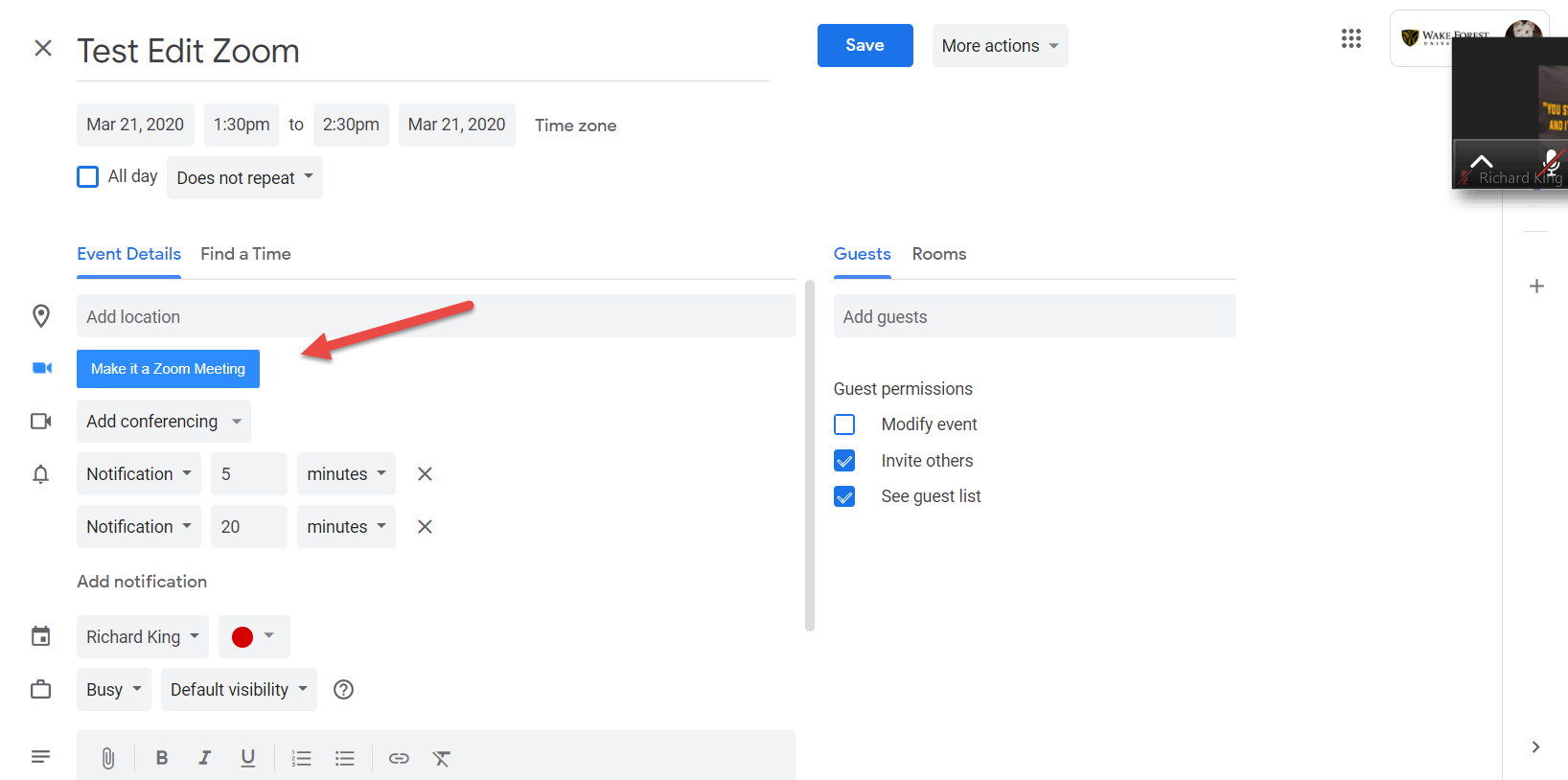
I wanted to document a problem I had with the Zoom Scheduler browser extension (Chrome version) recently. This is the addon in Chrome that puts the blue “Make it a Zoom Meeting” button on the calendar entry. You can see […]
Recording yourself with a laptop
Your WFU issued laptop has the tools to let you make a basic, talking-head style video. Once you have those videos made, you can distribute them via the cloud or maybe email (think Google Drive or MS OneDrive for sharing in the cloud). You can […]